Share Links
Watch the walkthrough (jumps to the Share Links section):
Share private content with specific people without requiring them to create an account—like sharing a Google Doc with "anyone with the link."
Overview
Share Links provide a way to grant access to private deployments without user authentication. Each link contains a unique token that bypasses the normal visibility restrictions, allowing you to:
- Share private sites with recruiters, clients, or collaborators
- Track engagement by seeing how many times each link is used
- Maintain control by disabling or revoking links at any time
- Organize access by creating named links for different audiences
How It Works
When you create a share link, the platform generates a unique token. Anyone with this token can access your private deployment, even when the site's visibility is set to "Private" or "Authenticated."
The token can be passed as:
- Query parameter:
https://yoursite.com?token=Xk9mP2qR - Cookie: Set automatically after first visit with token
Configuration
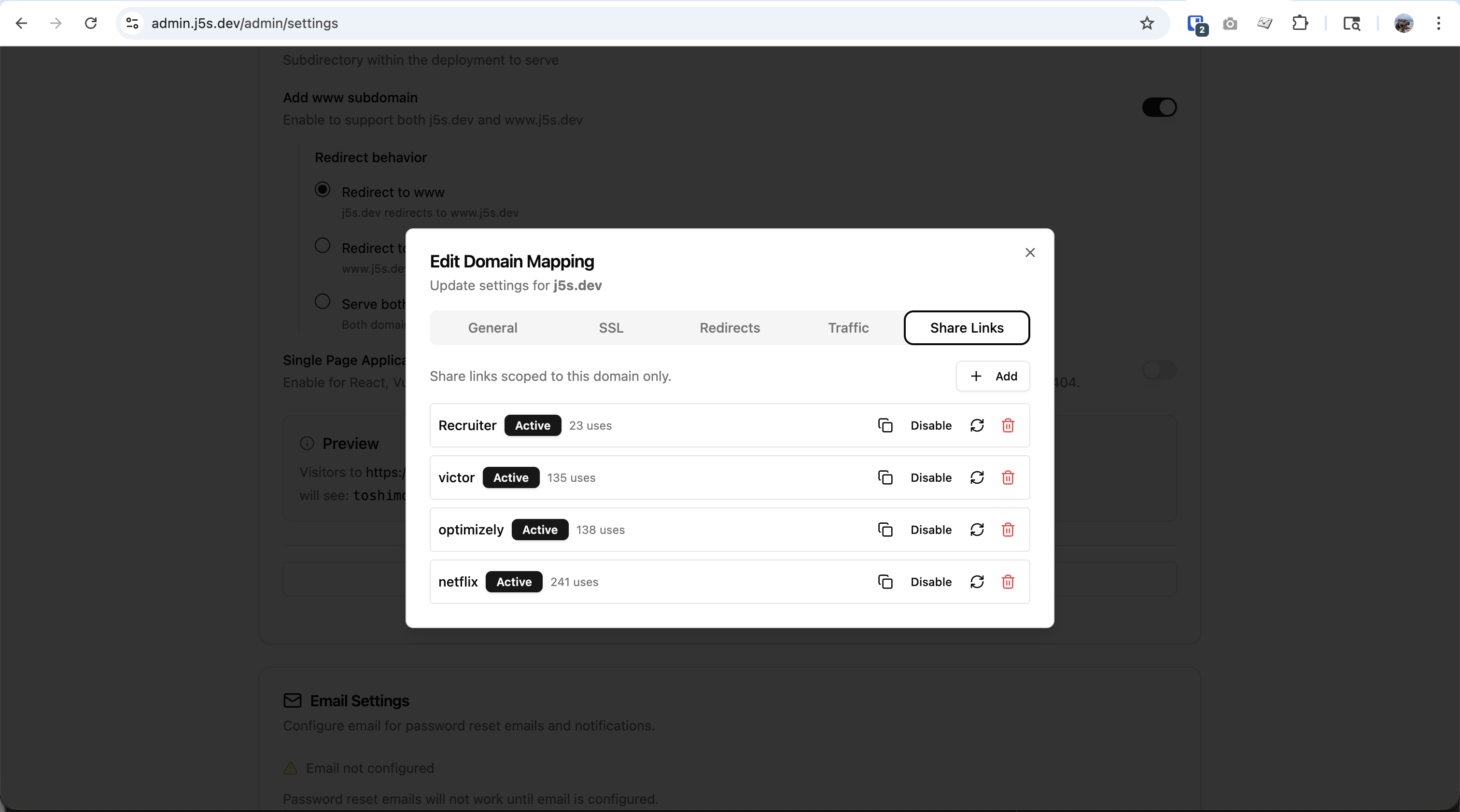
Access share links from Admin → Settings → Domain Mapping → Share Links tab.
Creating a Share Link
- Click + Add to create a new share link
- Enter a name to identify the link (e.g., "Netflix", "Recruiter", "Client-Acme")
- The platform generates a unique token automatically
- Click Copy to copy the full URL to your clipboard
Managing Share Links
Each share link shows:
| Element | Description |
|---|---|
| Name | Identifier you assigned (e.g., "optimizely", "Recruiter") |
| Status | Active (green badge) or Disabled |
| Uses | Number of times the link has been accessed |
| Copy | Copy the share URL to clipboard |
| Disable | Temporarily disable without deleting |
| Regenerate | Create a new token (invalidates the old one) |
| Delete | Permanently remove the share link |
Link Actions
| Action | Effect |
|---|---|
| Copy | Copies https://yourdomain.com?token=Xk9mP2qR to clipboard |
| Disable | Link stops working but keeps usage stats; can re-enable |
| Regenerate | Creates new token; old links stop working |
| Delete | Permanently removes link and all tracking data |
Use Cases
Portfolio Sharing with Recruiters
Keep your portfolio private by default, but share personalized links with each company you apply to:
Site Visibility: Private

Share Links:
├── netflix     → 241 uses  (Netflix-focused portfolio)
├── optimizely  → 138 uses  (Optimizely-focused portfolio)
├── victor      → 135 uses  (Specific recruiter contact)
└── Recruiter   →  23 uses  (General recruiter version)
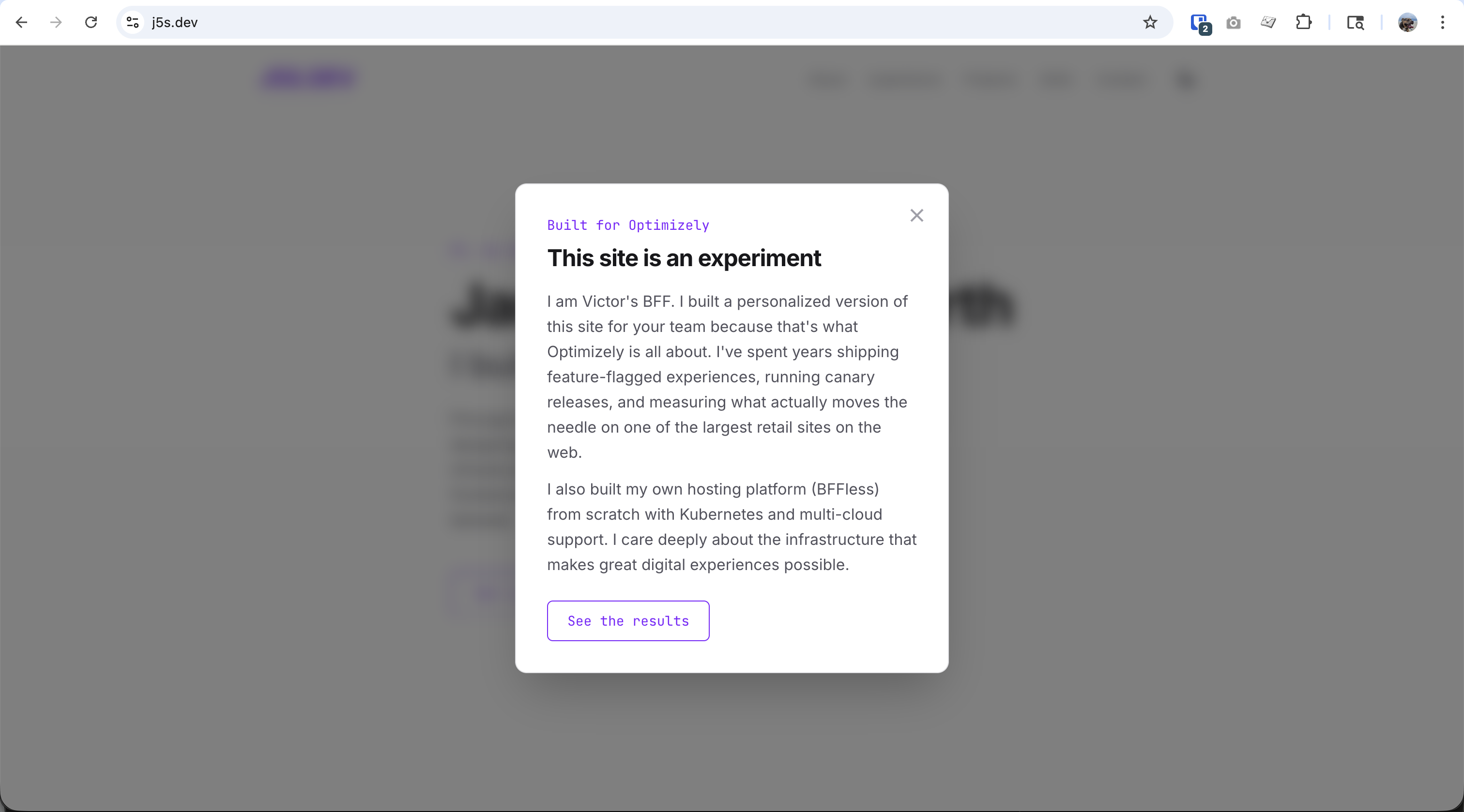
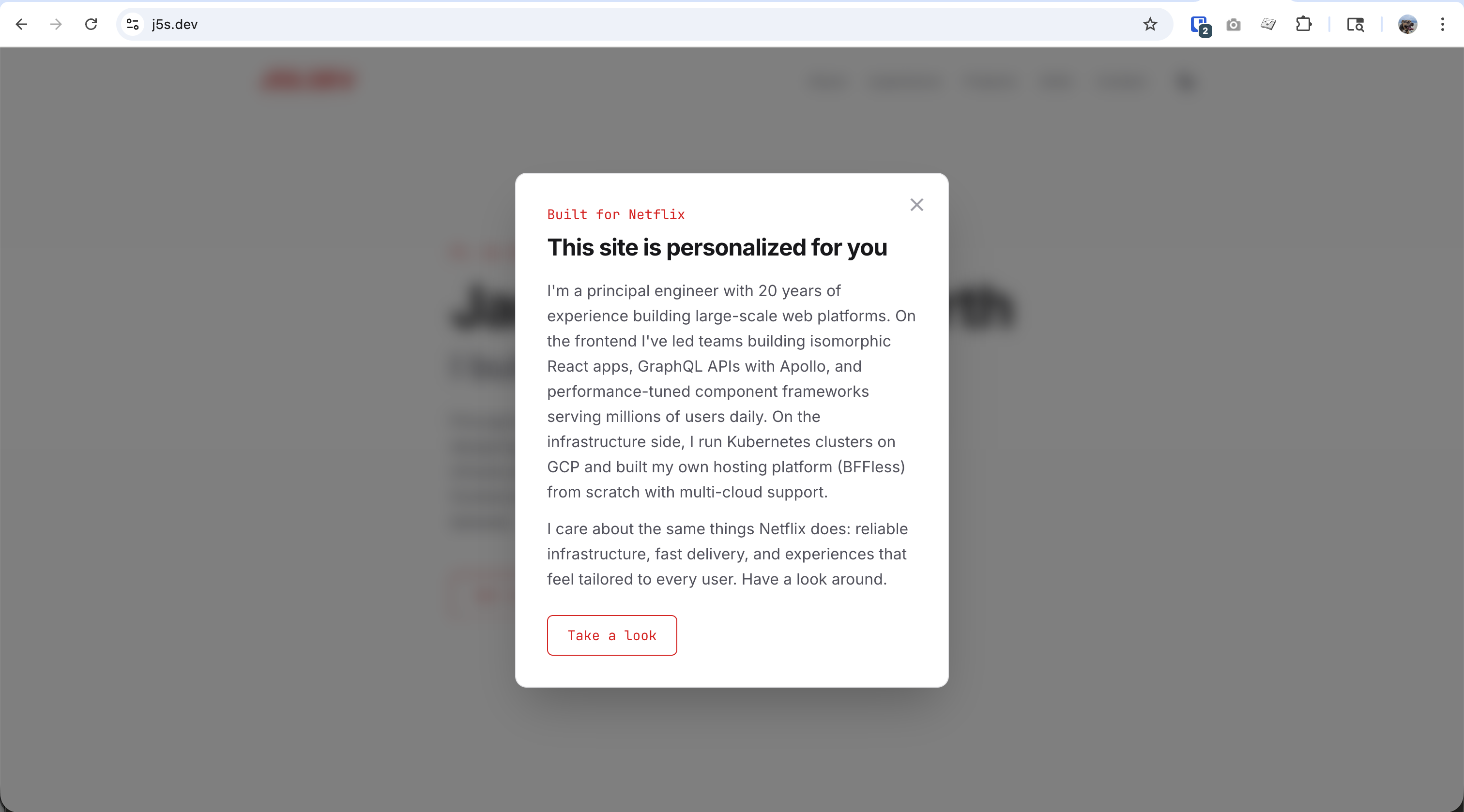
Each share link can show personalized content using Traffic Splitting:
Benefits:
- Track which companies are viewing your portfolio
- See engagement (241 views from Netflix recruiters!)
- Personalize content for each audience
- Revoke access if a link gets shared too widely
Client Project Reviews
Share staging environments with clients for review:
Share Links:
├── client-review    → Main review link for client team
├── stakeholder-bob  → Direct link for key stakeholder
└── legal-review     → Link for legal team review
Benefits:
- No client accounts needed
- Different links for different stakeholders
- Easy to revoke after project completion
Beta Testing
Distribute access to beta testers without a full auth system:
Share Links:
├── beta-group-1  → First wave of testers
├── beta-group-2  → Second wave
└── press-preview → Early access for press
Benefits:
- Track which groups are most active
- Disable a group's access if issues arise
- No password management overhead
Internal Team Sharing
Share private deployments with team members who don't have platform accounts:
Share Links:
├── design-team   → For design review
├── qa-team       → For QA testing
└── stakeholders  → For executive demos
Combining with Traffic Splitting
Share links work seamlessly with Traffic Splitting to show personalized content to each audience:
Example: Personalized Job Application Portfolio
-
Create deployment aliases for each company:
netflix- Contains Netflix-specific content and messagingoptimizely- Contains Optimizely-specific content and messagingproduction- General portfolio version
-
Create share links for each company:
netflixshare linkoptimizelyshare linkvictorshare link (specific recruiter)
-
Configure traffic rules to route each token:
netflixtoken →netflixaliasoptimizelytoken →optimizelyaliasvictortoken →productionalias
Result:
- Site is completely private (no public access)
- Netflix recruiters see "Built for Netflix" messaging
- Optimizely team sees "Built for Optimizely" messaging
- You track exactly how many times each link is used
Security Considerations
Token Security
- Tokens are randomly generated and cryptographically secure
- Tokens are long enough to prevent brute-force guessing
- Each token is unique to a specific domain mapping
Best Practices
| Practice | Why |
|---|---|
| Use descriptive names | Track who has access at a glance |
| Regenerate if leaked | Old token immediately stops working |
| Disable unused links | Reduce attack surface |
| Monitor usage | Unusual spikes may indicate sharing |
| Delete after purpose served | Client project done? Remove their link |
What Share Links Do NOT Provide
- Authentication - Users are anonymous; you can't identify individuals
- Fine-grained permissions - It's all-or-nothing access to the deployment
- Audit logs - You see usage counts, not detailed access logs
- Expiration - Links don't auto-expire (disable manually when done)
Technical Details
Token Format
Share link tokens are 8-character URL-safe strings (base64url encoded):
https://yourdomain.com?token=Xk9mP2qR
Cookie Behavior
After first visit with a valid token:
- A session cookie is set with the token
- Subsequent requests don't need the query parameter
- User can bookmark the site and return without the token in URL
API Integration
Share links can also be used with API requests:
curl "https://yourdomain.com/api/endpoint?token=Xk9mP2qR"
Troubleshooting
"Access Denied" with valid token
Causes:
- Link has been disabled
- Link has been regenerated (old token invalid)
- Link has been deleted
- Token is for a different domain
Fix: Verify link status in Share Links tab; send updated link if regenerated
Usage count not updating
Cause: Sticky cookie means repeat visits aren't counted as new "uses"
Expected behavior: Each unique visitor is counted once; return visits use the cookie
Token visible in URL after sharing
Concern: Someone might see the token in a shared screen
Solution: After initial load, the token is stored in a cookie. Users can:
- Visit the link once
- Bookmark the page (without token in URL)
- Clear the URL bar before screen sharing
Related Features
- Traffic Splitting - Route share link users to specific content
- Proxy Rules - URL rewriting and routing